USB-C chargers and cables: what to buy and what to check so you do not overspend
What watts mean, why a charging cable does not carry data or video, and which charger, hub and cable to pick depending on whether you use a laptop, phone or desk.
USB-C promised a single cable for everything and ended up as the most confusing port in your bag. Some cables charge at 240 W but carry no video, others carry data but not power, and some chargers drop their output as soon as you plug in a second device. This guide sums up what I check before buying and the pieces I recommend for each use.
Three things worth understanding
1. The weakest link sets the power. Charger, cable and device must all support the power you want. A 65 W charger with a 60 W cable charges at 60 W; with a basic data cable, at much less.
2. A charging cable is not a data cable. Many high-power USB-C cables only carry data at 480 Mbps (USB 2.0 speed) and no video. For an external SSD or a monitor you need a different kind of cable.
3. Multiple ports usually share the power. On a three-port charger, total power is split when you use more than one. Always read the sharing table, not the number on the front.
The pieces I recommend
The charger that replaces three: UGREEN Nexode 65W GaN
Two USB-C and one USB-A in a block the size of a phone charger thanks to GaN technology. It charges the laptop, phone and earbuds from one outlet. With all three ports in use, the power is shared and the main USB-C drops from 65 W to around 45 W: if you need full laptop charging speed, use it alone. No cable included.
The hub that turns one cable into a desk: UGREEN Revodok Pro 106
UGREEN Revodok Pro 106 USB-C Hub
A single USB-C from the laptop gives you 4K 60 Hz HDMI, two 10 Gbps USB-A ports, a USB-C data port, a card reader and 100 W pass-through charging. It is what I use to connect the laptop to the desk with one cable. It has only one HDMI and no Ethernet: if you need two monitors or wired networking, look at a fuller dock.
The cable for fast charging: UGREEN USB-C 240 W
UGREEN USB-C Cable 240W 2 m (2-pack)
Two 2-metre cables with Power Delivery 3.1 up to 240 W, braided nylon and aluminium connectors for under €13. They are charging cables: data transfer is 480 Mbps and they do not support video. Perfect for laptops, phones and for getting the most out of a charger like the Nexode.
The desk wireless charger: UGREEN Zapix Qi2 2-in-1
Magnetic Qi2 charging up to 15 W for the phone and 5 W for AirPods, with a 48° angle so you can see the screen while you work. It is designed for iPhone and AirPods; for fast charging a cable still wins, but for the bedside table or the desk it is very convenient.
What to buy for your case
- Laptop and phone, and you travel: Nexode 65 W and a 240 W cable. That replaces three chargers.
- A laptop that ends up at a fixed desk: Revodok Pro 106. One cable when you get home.
- Desk or bedside table with an iPhone: Zapix Qi2 2-in-1.
- Cheap spare cable for everyday use: the 240 W two-pack.
Mistakes I see all the time
- Buying the most powerful charger without checking the cable. The cable matters as much as the charger.
- Using a charging cable for an SSD or a monitor. It does not carry fast data or video.
- Believing 65 W is 65 W with all three ports in use. It is shared.
- Trusting no-name GaN chargers. You save a few euros and lose safety certifications.
Conclusion
With four well-chosen pieces you solve almost any combination of laptop, phone and desk. Before buying, check how much power your laptop accepts and what kind of port your phone has: that is where 90% of wrong purchases happen.
Products mentioned

UGREEN Nexode 65W GaN
Cargador GaN con 3 puertos (2x USB-C + 1x USB-A) que carga el portátil y el móvil a la vez. Ocupa la mitad que el cargador original del Acer.
21.99€
29.99€
UGREEN Revodok Pro 106 Hub USB-C
Hub USB-C 10Gbps con HDMI 4K@60Hz, USB 3.2 Gen 2 y PD 100W. Conectar el portátil al setup del escritorio con un solo cable. Compacto y fiable.
18.99€
20.99€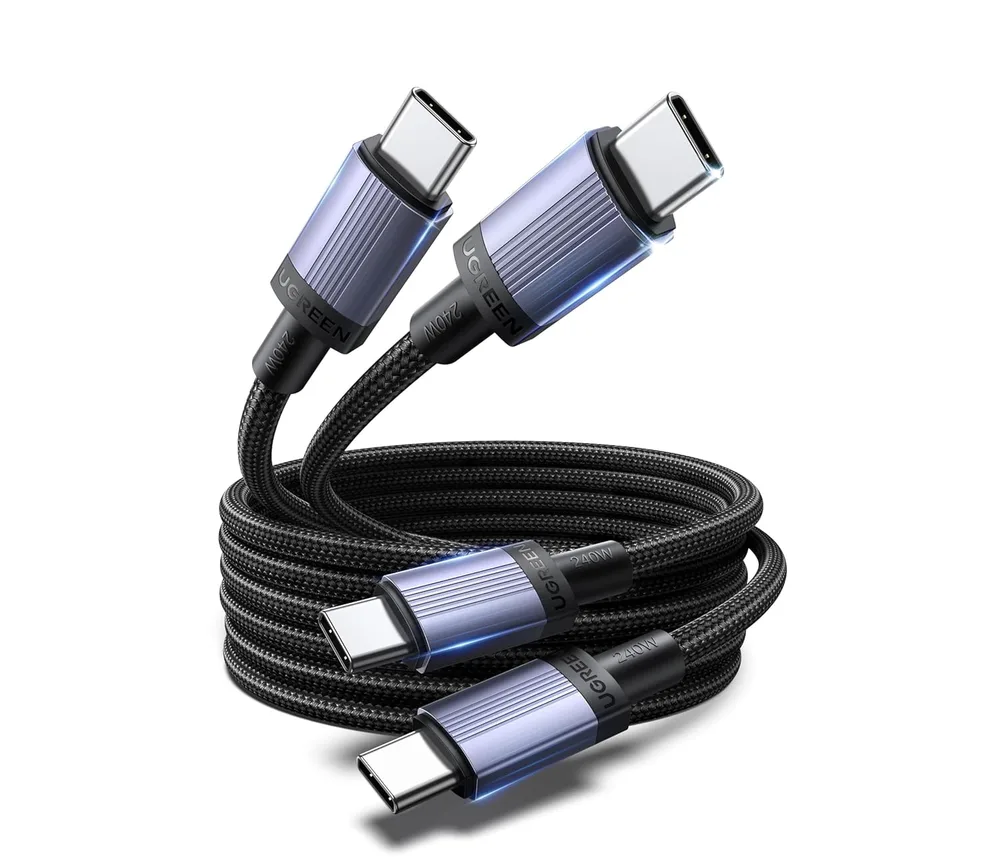
UGREEN Cable USB-C 240W 2 m (pack de 2)
Pack de dos cables USB-C a USB-C de 2 m, 240 W (5 A / 48 V) con nailon trenzado y conectores de aluminio.
12.74€
14.99€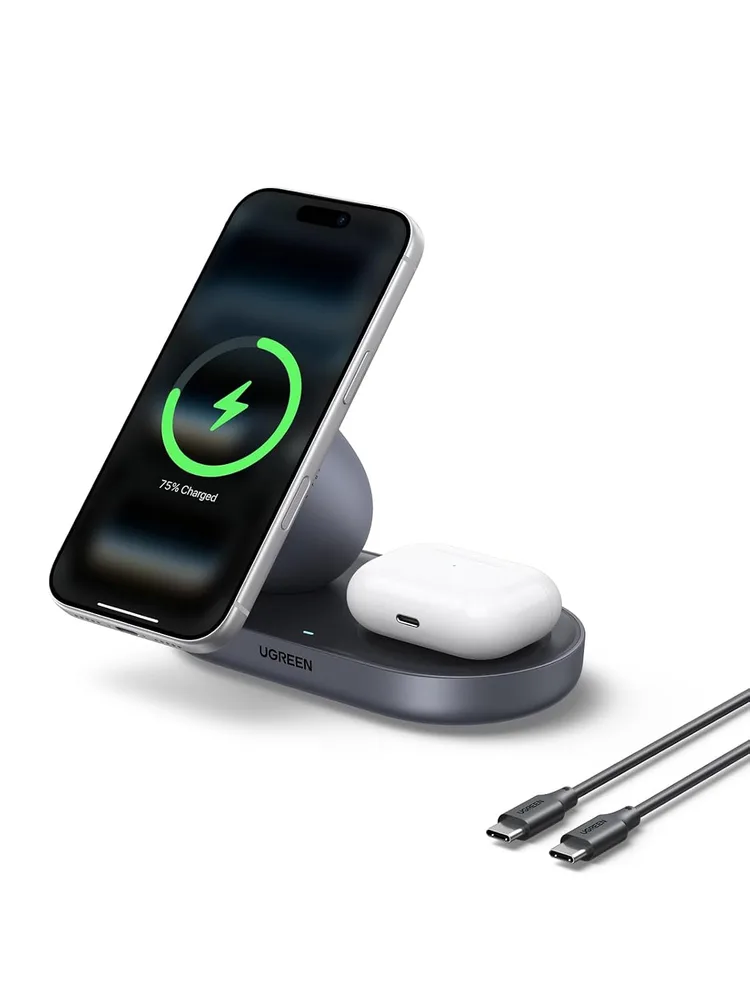
UGREEN Zapix Qi2 15W 2 en 1
Cargador inalámbrico Qi2 de 15 W con imán para iPhone y AirPods a la vez, inclinado 48° para usarlo mientras trabajas.
25.99€
29.99€