Logitech G Pro X Superlight 2c vs MX Master 3S: a 60 g gaming mouse or a productivity mouse
Two Logitech mice with opposite philosophies: the ultralight competition mouse and the ergonomic one built for eight hours of work. Which to choose for gaming or for programming.
Both are from Logitech, both are wireless and both are very good. And yet they are almost opposites: the G Pro X Superlight 2c is a 60-gram competition mouse and the MX Master 3S is an ergonomic mouse built to spend eight hours a day working. Choosing between them is not about which is better, but about what you do with the mouse.
What sets them apart
| Criterion | G Pro X Superlight 2c | MX Master 3S |
|---|---|---|
| Focus | Competitive gaming | Productivity and ergonomics |
| Weight | 60 g | Much heavier (more than double) |
| Sensor | HERO 2, up to 44,000 DPI | 8,000 DPI |
| Buttons | Five, hybrid optical-mechanical switches | More buttons and a thumb wheel |
| Scroll wheel | Conventional | MagSpeed electromagnetic |
| Clicks | Ultra-low latency, LIGHTFORCE switches | Silent |
| Battery | Up to 95 hours | Several weeks of use |
| Connection | Wireless receiver, 4K polling | Up to 3 devices |
| Software | G HUB | Logi Options+ |
| Reference price | ~€129 | ~€89 |
Head to head by criterion
Weight and feel of movement
The Superlight 2c wins, no contest. 60 grams move almost effortlessly, and in long gaming sessions fatigue drops noticeably. The MX Master 3S is much heavier: for office use it does not matter, but for fast flicks in a shooter you notice it.
Precision and latency
The Superlight 2c again: HERO 2 sensor with no smoothing or acceleration, LIGHTFORCE switches and 4K polling. It is a mouse designed to win matches. The MX Master 3S sensor is more than enough for work but is not built to compete.
Ergonomics for long days
The MX Master 3S wins clearly. Its shape, with a built-in palm rest, spreads the hand’s weight and you feel it after eight hours a day. The Superlight 2c, with its low, compact shape, is made for a specific grip and can fall short if you have large hands or rest your whole palm on it.
Scrolling and productivity
The MX Master 3S MagSpeed wheel switches between precise and free scrolling depending on speed, and for reviewing code or long documents it is a huge advantage. The Superlight 2c wheel is that of any gaming mouse, and it has no thumb wheel or extra shortcut buttons.
Connectivity
The MX Master 3S pairs with up to three devices and switches between them with a button, ideal for alternating between laptop and desktop. The Superlight 2c uses its wireless receiver and is meant for a single machine.
Noise
The MX Master 3S clicks are silent, which is welcome on video calls and in shared spaces. The Superlight 2c prioritises responsiveness, not silence.
Software
Both need Logitech software to get the most out of them: G HUB for the Superlight and Logi Options+ for the MX Master. Neither is especially lightweight.
Which one to choose for your case
- You play shooters or competitive games: G Pro X Superlight 2c.
- You work or program more than 4 hours a day: MX Master 3S.
- You use a single PC for gaming: G Pro X Superlight 2c.
- You alternate between laptop and desktop: MX Master 3S.
- You have large hands or want a palm rest: MX Master 3S.
- You want a mouse that disappears in your hand: G Pro X Superlight 2c.
Verdict
There is no absolute winner because they do not compete on the same terms. For gaming, the Superlight 2c is among the best there is: light, precise and fast. For work, the MX Master 3S is hard to beat: ergonomics, MagSpeed wheel, silent clicks and multi-device.
If I had to keep just one for mixed use, like most people who program and occasionally game, I would keep the MX Master 3S: you spend far more hours working than playing, and that is where it shows. And if you play seriously, the ideal setup is to own both: one for work and one for gaming.
Products compared
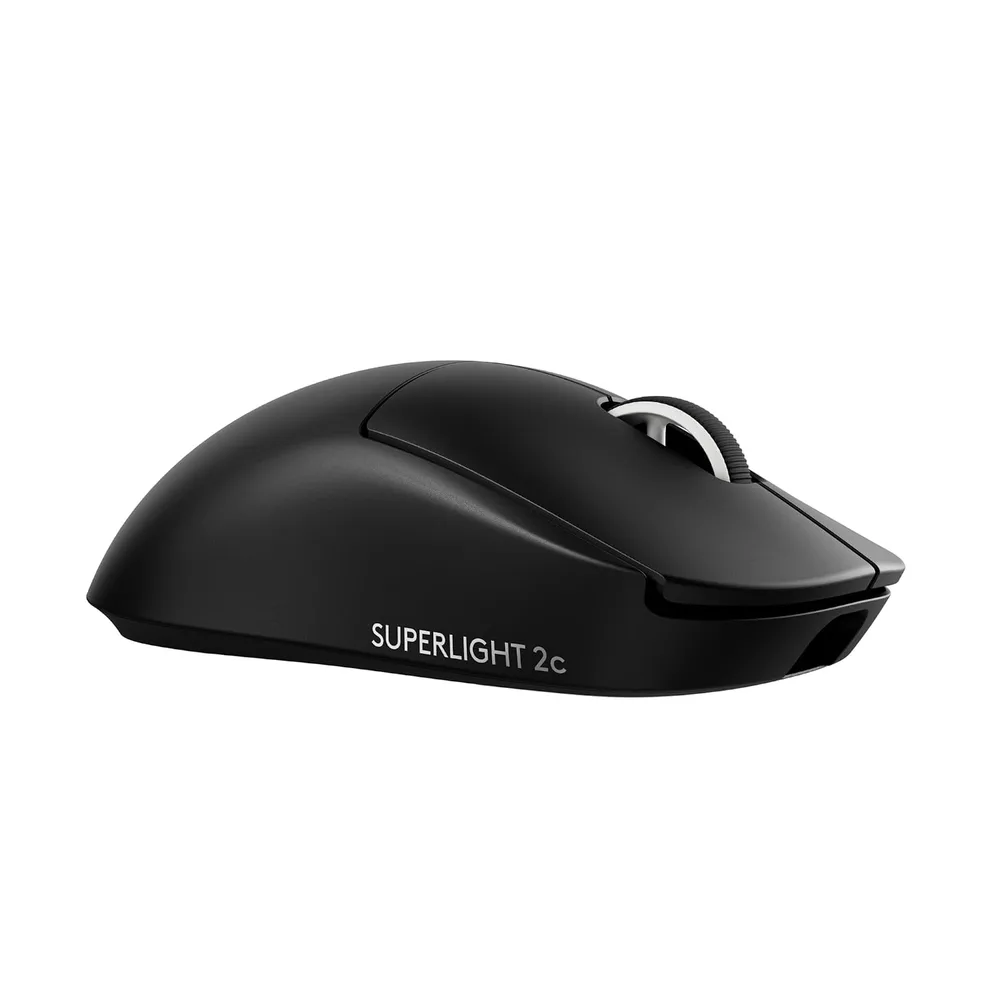
Logitech G Pro X Superlight 2c
Ratón gaming inalámbrico de 60 g con sensor HERO 2 y sondeo de 4K. Ligero, preciso y con hasta 95 horas de batería.
119.99€
159.99€
Logitech MX Master 3S
Ratón ergonómico con sensor de 8000 DPI, scroll MagSpeed y conexión a 3 dispositivos. Lo uso 8 horas al día para programar y no me duele la muñeca.
69.99€